

Not sure whether to redesign or rebuild your business website? Learn the key differences and how to choose the right approach for your goals.
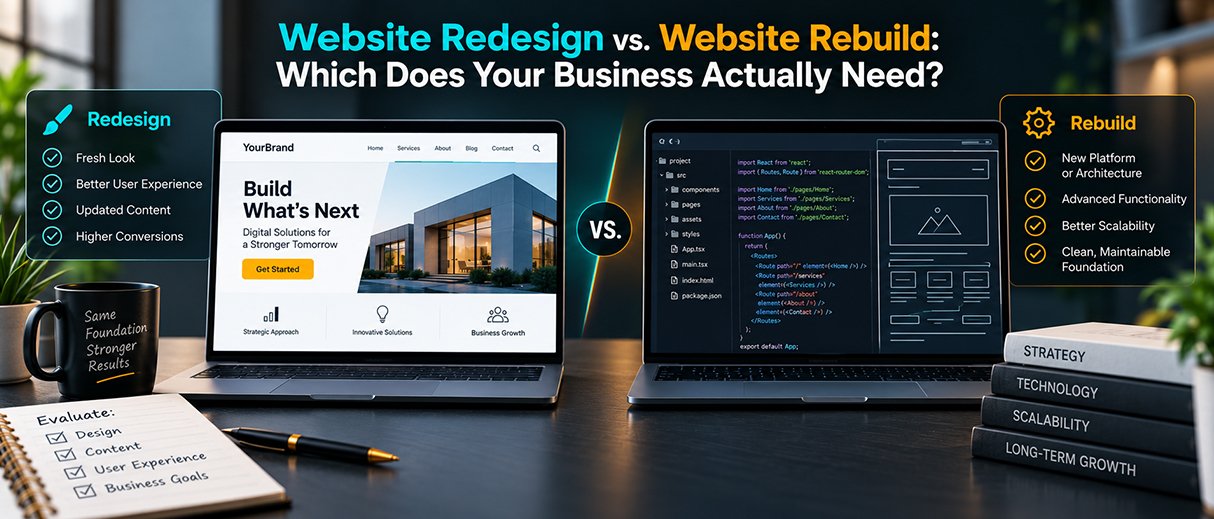
Your website may be outdated, difficult to use, or no longer generating the results your business needs. But that does not automatically mean you need a completely new website. A redesign is usually enough when the existing platform and technology still work, while a rebuild is more appropriate when the website’s technical foundation, structure, or functionality has become a limitation. Knowing the difference can help you invest in the right solution.
A website is rarely just a collection of pages. It combines design, content, technology, SEO, user experience, functionality, and conversion paths.
When one or more of these areas stops working properly, businesses often reach the same conclusion: “We need a new website.”
Sometimes that is true.
But replacing an entire website when the foundation is still usable can create unnecessary work. On the other hand, continually redesigning an outdated platform can become expensive when the underlying problems require a deeper solution.
The better approach is to identify what is actually causing the problem before deciding how much needs to change.
A website redesign focuses primarily on improving the existing website’s appearance, content, user experience, navigation, and conversion journey.
A website rebuild involves making major changes to the underlying structure or technology. This can include moving to a new platform, restructuring the site, replacing outdated functionality, or rebuilding the website’s technical foundation.
| Website Redesign | Website Rebuild |
|---|---|
| Improves the existing website | Replaces or substantially changes its foundation |
| Often keeps the current platform | May require a new platform or architecture |
| Focuses on design, UX, content, and conversions | Addresses deeper technical and structural limitations |
| Suitable when the foundation still works | Suitable when the foundation restricts growth |
| Usually more targeted | Usually a larger development project |
The important point is that a redesign is not simply a cheaper version of a rebuild. They solve different types of problems.
A redesign can make sense when your website still functions properly but no longer represents the business effectively.
The design no longer reflects your brand
Your business may have evolved since the website was created. Your services, target audience, positioning, or visual identity may have changed.
An outdated design can make it harder for visitors to understand the quality and professionalism of the business.
A redesign can refresh layouts, typography, imagery, page hierarchy, and visual presentation without replacing everything underneath.
Visitors have difficulty navigating the site
If visitors cannot quickly find your services, important information, or contact options, the problem may be related to user experience.
Improving menus, page organization, calls to action, and content structure can make the website significantly easier to use.
Your messaging has become outdated
A website should explain what the business does and why customers should consider it.
If your current content was written years ago, it may no longer communicate your services accurately or address the questions your customers now have.
A redesign provides an opportunity to rethink the messaging alongside the visual experience.
The website gets visitors but few enquiries
Traffic does not automatically produce leads.
If visitors arrive but rarely contact you, problems may exist with service pages, calls to action, trust signals, forms, or the overall customer journey.
A redesign can address these conversion problems without necessarily requiring a complete technical rebuild.
Sometimes the problem goes deeper than design.
Your platform is limiting the business
Businesses often outgrow the technology they started with.
You may now need ecommerce functionality, booking systems, customer accounts, integrations, advanced forms, or other features that your current platform cannot support effectively.
When the technology becomes a barrier to achieving business goals, rebuilding may be the more sensible option.
The website is difficult to maintain
If basic changes require developer intervention, updates regularly create new problems, or the codebase has become difficult to manage, the existing foundation may be holding the website back.
A rebuild can provide a cleaner and more maintainable structure.
Performance problems are built into the foundation
A slow website does not automatically require a rebuild. Performance should be diagnosed first.
However, if outdated technology, inefficient architecture, excessive dependencies, or other structural issues prevent meaningful improvements, rebuilding may provide a stronger foundation.
The business needs a fundamentally different website
Sometimes the business itself has changed.
A company that originally needed a five-page brochure website may now need ecommerce, memberships, customer portals, multiple service journeys, or complex integrations.
At that point, modifying the old website repeatedly may not be the most practical approach.
A common mistake is deciding what a website needs based only on how it looks.
A visually dated website can still have a strong technical foundation. Likewise, a beautiful website can have poor navigation, weak messaging, slow performance, or a difficult conversion process.
Before choosing between a redesign and rebuild, evaluate:
This assessment creates a clearer picture of the actual problem.
Step 1: Identify what is not working
Start with evidence rather than assumptions.
Look at analytics, user behavior, search performance, enquiries, technical issues, and customer feedback.
Step 2: Separate surface problems from foundation problems
Outdated design, confusing navigation, and weak messaging may be redesign issues.
Unsupported technology, major functionality limitations, and an unmanageable technical structure may point toward a rebuild.
Step 3: Define what the business needs next
Think beyond today’s problems.
Will the website need new services, ecommerce, integrations, additional content, or more advanced customer journeys in the future?
Step 4: Protect what already works
Before changing the website, identify valuable pages, organic rankings, backlinks, content, conversion paths, and functionality that should be preserved.
Step 5: Choose the smallest solution that properly solves the problem
The goal is not to undertake the biggest possible project.
The goal is to create a website that supports the business effectively.
Start with business goals. Decide what the website needs to achieve before discussing colors, layouts, or technology.
Use existing data. Analytics and search data can show which pages and journeys are already valuable.
Plan SEO before making major changes. URLs, redirects, page structure, content, internal links, and indexing should be considered during development.
Design for mobile users. Navigation, forms, buttons, and content should work naturally across different screen sizes.
Build clear conversion paths. Visitors should understand what to do next whether the goal is contacting the business, requesting a quote, booking a consultation, or making a purchase.
Plan for future growth. The website should not solve today’s problem while creating another technical limitation next year.
Rebuilding simply because the website looks old
A visual problem does not necessarily require a technical rebuild.
Copying a competitor’s website
A competitor’s design may look impressive, but their business goals and customer journey are different from yours.
Ignoring SEO during development
A major website change can affect existing organic visibility if important pages, URLs, content, or redirects are handled incorrectly.
Focusing entirely on design
A modern appearance cannot compensate for unclear messaging, poor functionality, or a difficult customer journey.
Removing useful content without analysis
Older pages may have rankings, traffic, backlinks, or valuable information. Review them before deciding what should be removed.
Imagine a professional services company has a six-year-old website.
The platform is still supported, the pages load reasonably well, and the business does not need complex new functionality. However, the navigation is confusing, the branding is outdated, the service pages are unclear, and contact options are difficult to find.
This situation may call for a redesign, not a complete rebuild.
Now consider a growing business whose website runs on an outdated platform that cannot support its new booking system, customer portal, and third-party integrations.
In that case, changing the visual design will not solve the fundamental problem. A rebuild would likely provide a better long-term foundation.
Before choosing between a redesign and rebuild, ask:
If most problems involve design, messaging, navigation, UX, or conversion, start by exploring a redesign.
If the core technology or architecture is preventing the website from doing what the business needs, a rebuild may be the better route.
A redesign improves an existing website’s design, content, user experience, and conversion journey. A rebuild makes substantial changes to the underlying technical structure or platform.
Neither is universally better. The right choice depends on whether the website’s existing technical foundation can support the business’s current and future requirements.
A redesign may be appropriate when the website works technically but has outdated design, confusing navigation, weak messaging, poor mobile usability, or ineffective conversion paths.
A rebuild may be necessary when the platform is outdated, difficult to maintain, unable to support required functionality, or creating fundamental technical limitations.
Yes. Improving messaging, navigation, calls to action, forms, trust signals, and the overall customer journey can make it easier for visitors to become leads or customers.
Yes. Changes to URLs, content, page structure, internal links, and technical elements can affect organic visibility. SEO should therefore be considered throughout the redesign process.
Not necessarily. Valuable content, pages, data, functionality, and SEO assets can often be retained or migrated when rebuilding a website.
There is no fixed schedule. Businesses should evaluate their website based on performance, customer needs, technology, business changes, and whether the site continues to achieve its goals.
Not always. If the underlying platform works well, a strategic redesign may be enough to modernize the website.
Yes, particularly when the existing website receives organic traffic or rankings. SEO planning can help protect valuable search visibility during the transition.
A website does not need to be completely rebuilt simply because it looks outdated. At the same time, repeatedly redesigning an old website will not solve problems caused by an unsuitable technical foundation.
The right decision starts with understanding what is actually holding the website back.
If the foundation works but the experience, design, messaging, or conversion journey needs improvement, a redesign may be enough. If the technology, architecture, or functionality has become a barrier to growth, a rebuild can provide a stronger foundation.
The best website projects are not defined by how much gets changed. They are defined by whether the changes solve the right problems.
Whether your website needs a focused redesign or a complete rebuild, the process should begin with a clear understanding of your business goals, customer needs, and current website performance.
Citeno Marketing Company helps businesses create websites that combine thoughtful strategy, user experience, functionality, and performance.
If you’re unsure whether your business needs a redesign, rebuild, or targeted improvements, get in touch with Citeno to discuss your website and determine the right path forward.
Your next website project should solve a business problem, not just create a newer-looking website.


Book a free strategy call and let's talk about your goals.
Book Free Strategy Call